
Workflow Extension
Workflow Extension
Developing Function Library Functions
Create a jar project using Maven and write workflow execution functions Reference pom configuration:
<project xmlns="http://maven.apache.org/POM/4.0.0"
       xmlns:xsi="http://www.w3.org/2001/XMLSchema-instance"
       xsi:schemaLocation="http://maven.apache.org/POM/4.0.0 http://maven.apache.org/xsd/maven-4.0.0.xsd">
   <modelVersion>4.0.0</modelVersion>
   <artifactId>xxx-workflow-library</artifactId>
   <description>xxx</description>
   <dependencies>
      <dependency>
          <groupId>org.slf4j</groupId>
          <artifactId>slf4j-api</artifactId>
          <scope>provided</scope>
      </dependency>
      <dependency>
          <groupId>com.zondy.mapgis.igs</groupId>
          <artifactId>mapgis-igs-common-core</artifactId>
          <version>${project.version}</version>
          <scope>provided</scope>
      </dependency>
      <!--igs-local is local dependency-->
      <dependency>
          <groupId>igs-local</groupId>
          <artifactId>mapgis_geoobjects</artifactId>
          <version>1.0.0</version>
          <scope>provided</scope>
      </dependency>
      <dependency>
          <groupId>igs-local</groupId>
          <artifactId>mapgis_geomap</artifactId>
          <version>1.0.0</version>
          <scope>provided</scope>
      </dependency>
      <dependency>
          <groupId>igs-local</groupId>
          <artifactId>mapgis_geodatabase</artifactId>
          <version>1.0.0</version>
          <scope>provided</scope>
      </dependency>
      <dependency>
          <groupId>igs-local</groupId>
          <artifactId>mapgis_geoanalysis</artifactId>
          <version>1.0.0</version>
          <scope>provided</scope>
      </dependency>
   </dependencies>
   <build>
       <plugins>
           <plugin>
               <groupId>org.apache.maven.plugins</groupId>
               <artifactId>maven-assembly-plugin</artifactId>
               <version>3.1.0</version>
               <configuration>
                   <descriptorRefs>
                       <descriptorRef>jar-with-dependencies</descriptorRef>
                   </descriptorRefs>
                   <!--No version number added here because the file name is remembered when registering functions-->
                   <finalName>${project.artifactId}</finalName>
                   <appendAssemblyId>false</appendAssemblyId>
                   <attach>false</attach>
                   <archive>
                       <manifest>
                           <addDefaultImplementationEntries>true</addDefaultImplementationEntries>
                           <addDefaultSpecificationEntries>true</addDefaultSpecificationEntries>
                       </manifest>
                   </archive>
               </configuration>
               <executions>
                   <execution>
                       <id>make-assembly</id>
                       <phase>package</phase>
                       <goals>
                           <goal>single</goal>
                       </goals>
                   </execution>
               </executions>
           </plugin>
       </plugins>
   </build>
</project>
For dependencies already provided in the framework, they can be set to provided to reduce the size of the workflow plugin jar package. Provided dependencies include:
   <dependency>
       <groupId>org.slf4j</groupId>
       <artifactId>slf4j-api</artifactId>
       <version>${slf4j.version}</version>
   </dependency>
   <dependency>
       <groupId>igs-local</groupId>
       <artifactId>mapgis_geoobjects</artifactId>
       <version>1.0.0</version>
   </dependency>
   <dependency>
       <groupId>igs-local</groupId>
       <artifactId>mapgis_geomap</artifactId>
       <version>1.0.0</version>
   </dependency>
   <dependency>
       <groupId>igs-local</groupId>
       <artifactId>mapgis_geodatabase</artifactId>
       <version>1.0.0</version>
   </dependency>
   <dependency>
       <groupId>igs-local</groupId>
       <artifactId>mapgis_geoanalysis</artifactId>
       <version>1.0.0</version>
   </dependency>
Sample Maven project structure
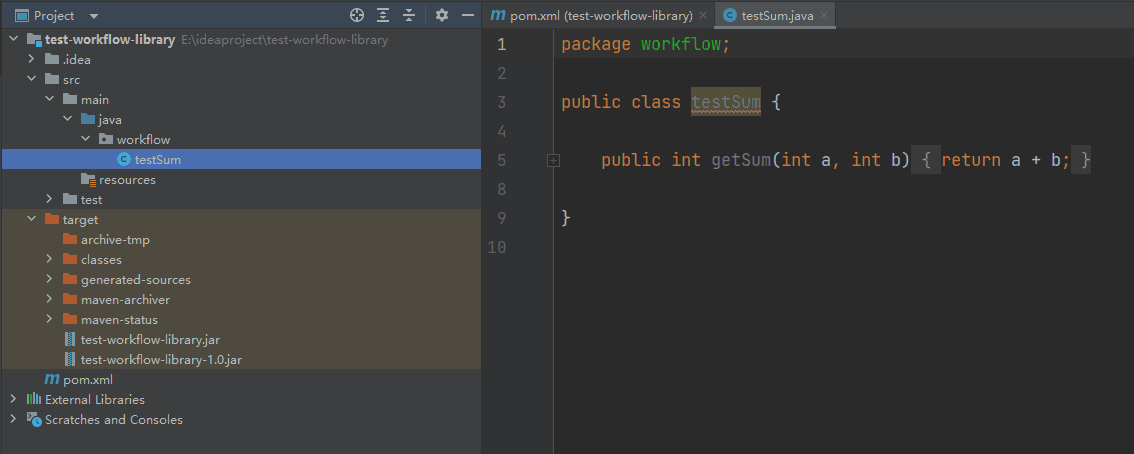
Use the command
mvn packageto package as a single jarPlace the jar in
igserver_for_java\workflow\FunctionLibrary\GIS\xxx\jar, where xxx is the newly created directoryExecute
igserver_for_java\bin\start-function-library-server-host.batto start the function library service, as shown below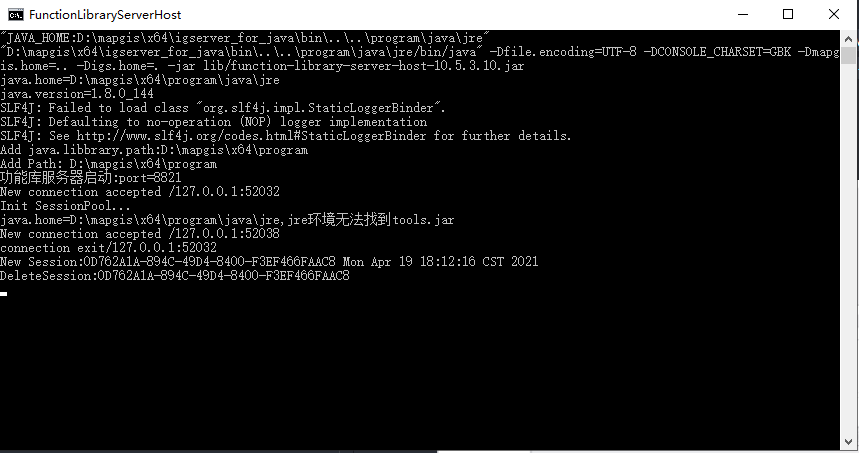
Creating Workflow
Open IGSWorkflow.exe under program, add function library configuration tool. Note that there may not be a function library settings button, in which case you need to manually add the button by dragging the button in the image to the toolbar
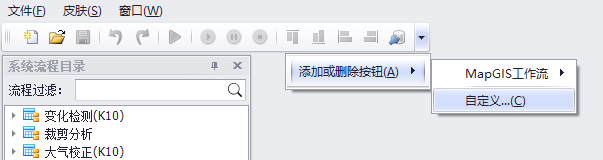
Open Custom Window 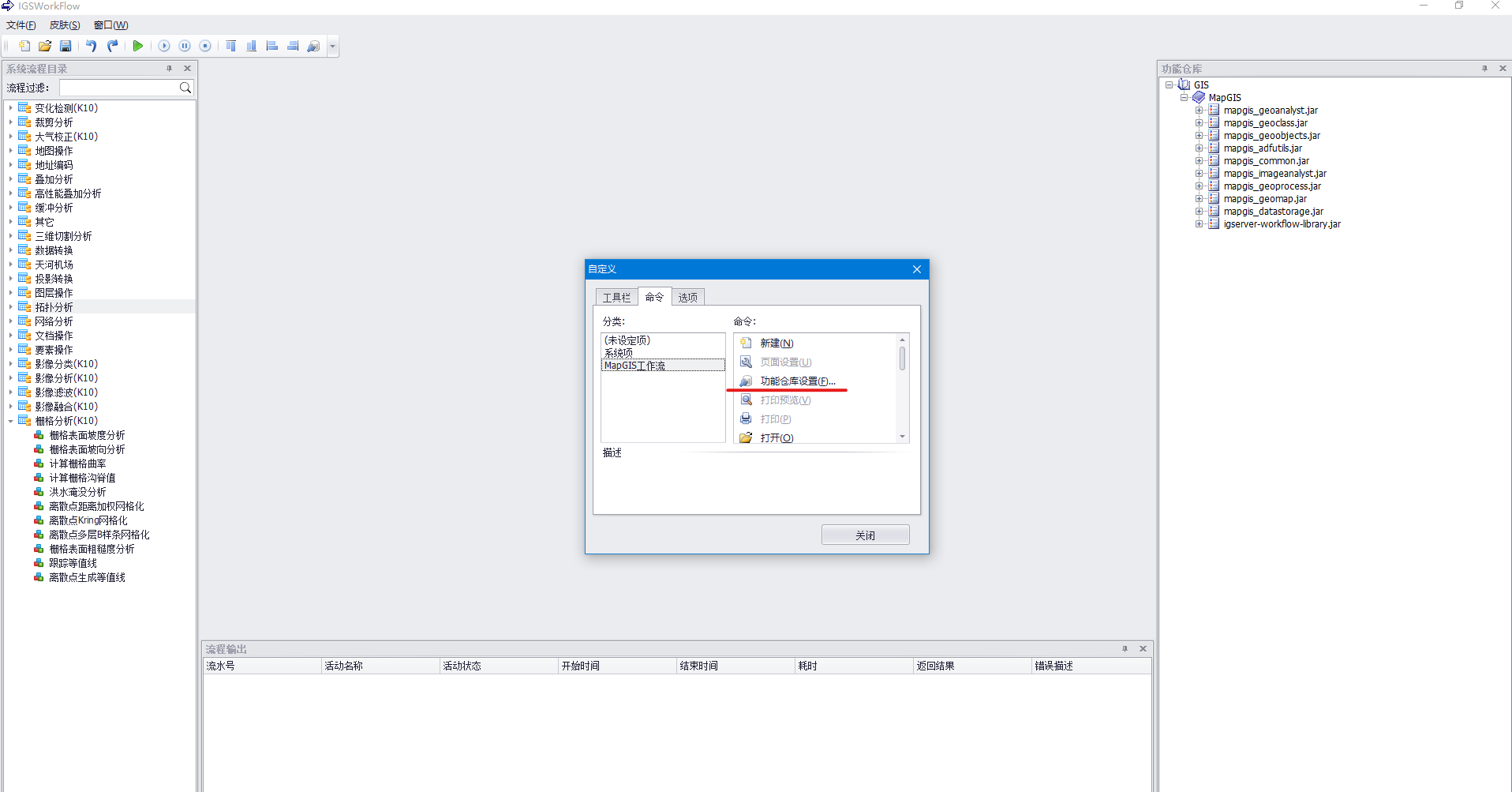
Add Function Library Configuration Tool Configure workflow library
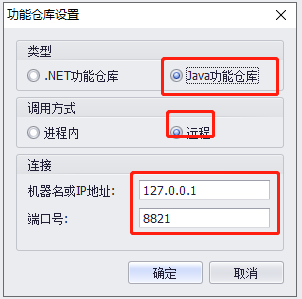
Configure Workflow Library Register jar package containing functions
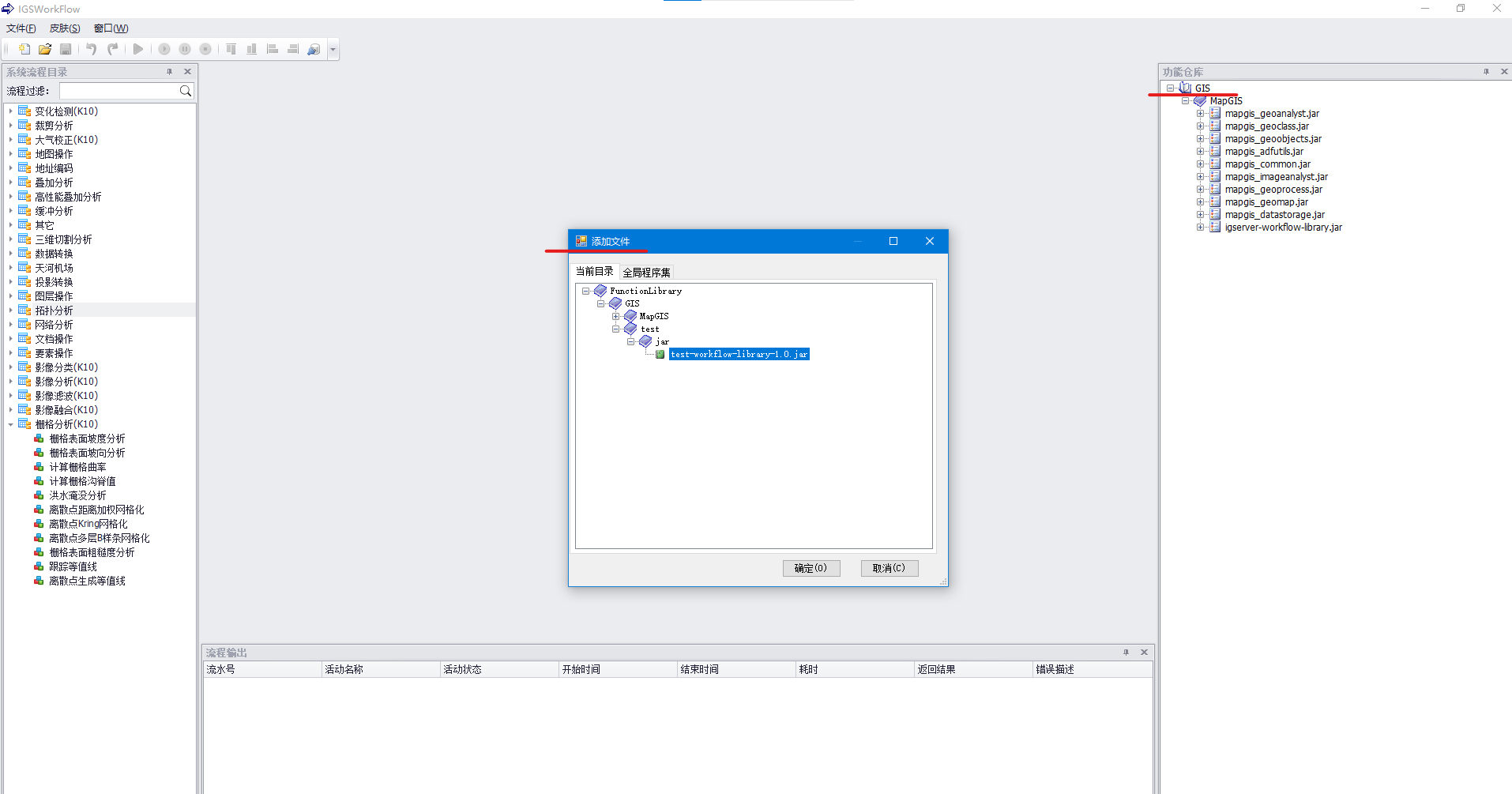
Register jar package containing function library Registered files will be displayed in the function library
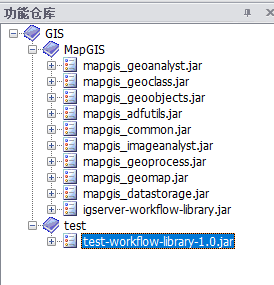
Registered File Right-click on the registered file and click Register Function Module

Register File Right-click on the registered function module and click Register Function
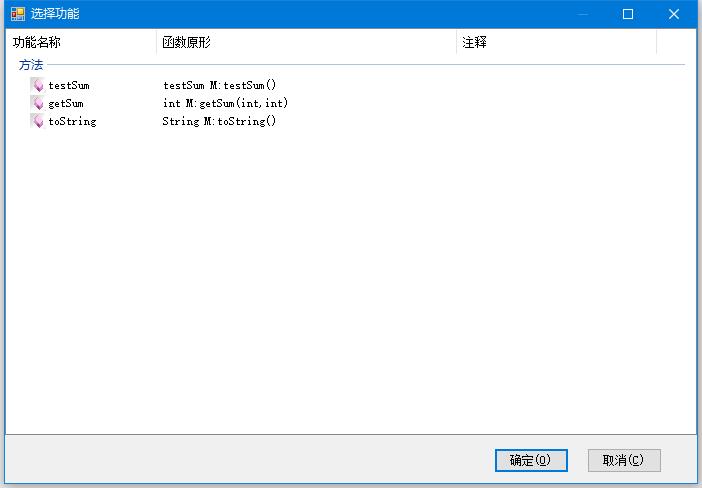
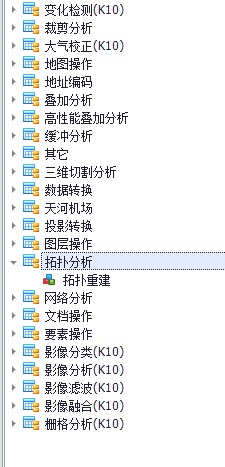
Register File Create a new process. The number of process directories is fixed and cannot be added. Select any one from the system process directory, right-click and select New Process. The new process must have a process name filled in, others can be filled in as needed

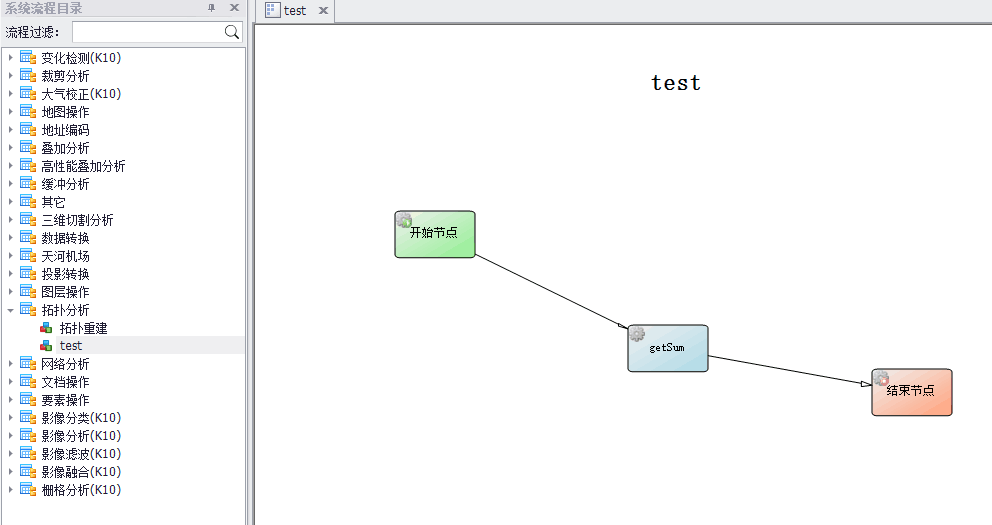
Add start node and end node to the newly created process, and add functions registered in step 6 from the function library. The way to add start node and end node is: right-click -> select Add Node (End Node) -> hold left mouse button and drag a rectangle -> creation complete. Function nodes can be dragged directly from the function library. Place the mouse on a node, hold and drag to another node to connect them
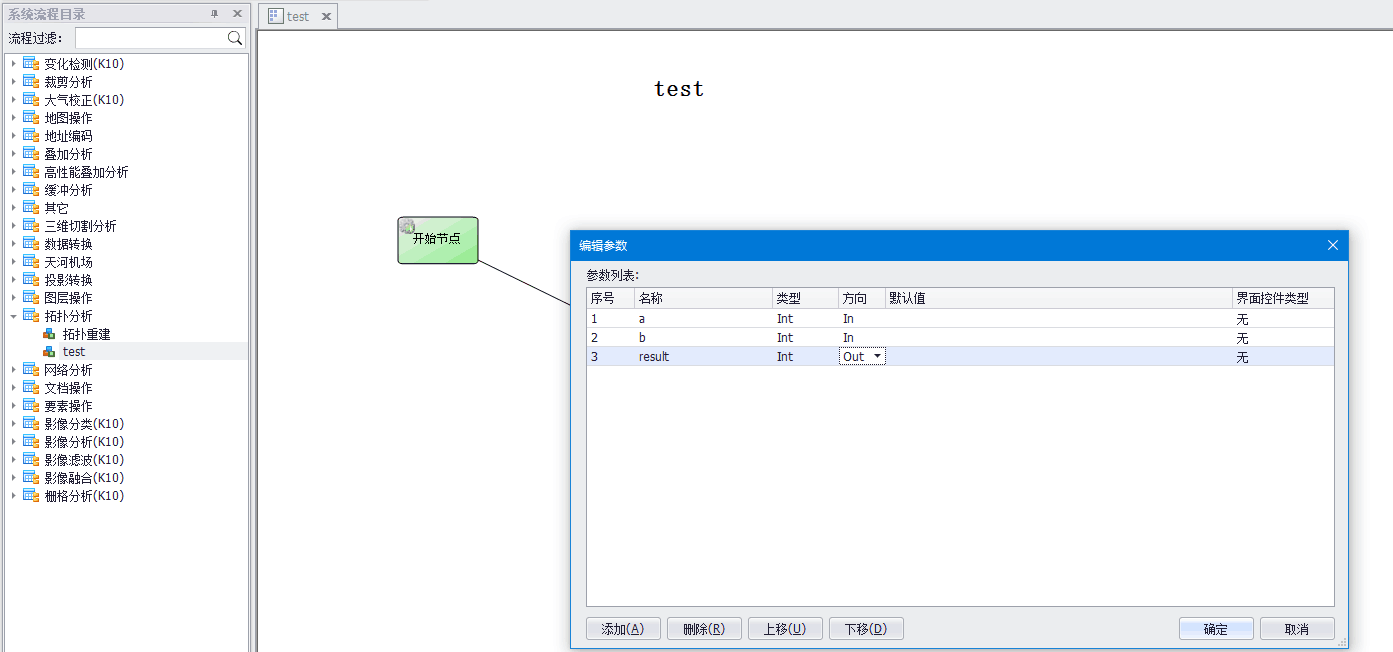
Add Nodes Edit process parameters. Right-click on the process created in step 7, select Edit Process Parameters, and edit input parameters and output parameters
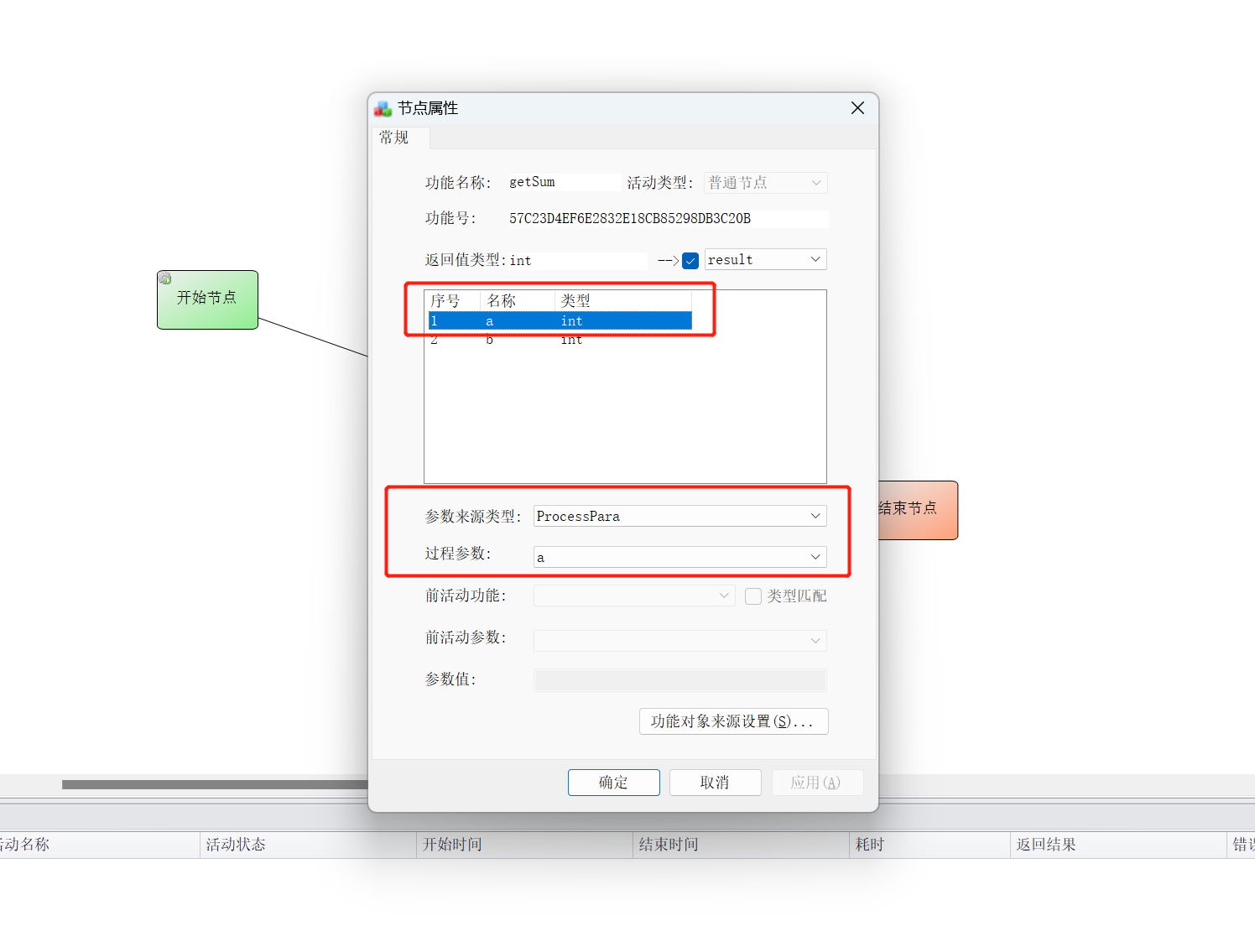
Edit Process Parameters Edit node properties. Double-click on the function node created in step 8 to modify node properties. Note that each parameter here must have its parameter source type modified
Edit Node Properties 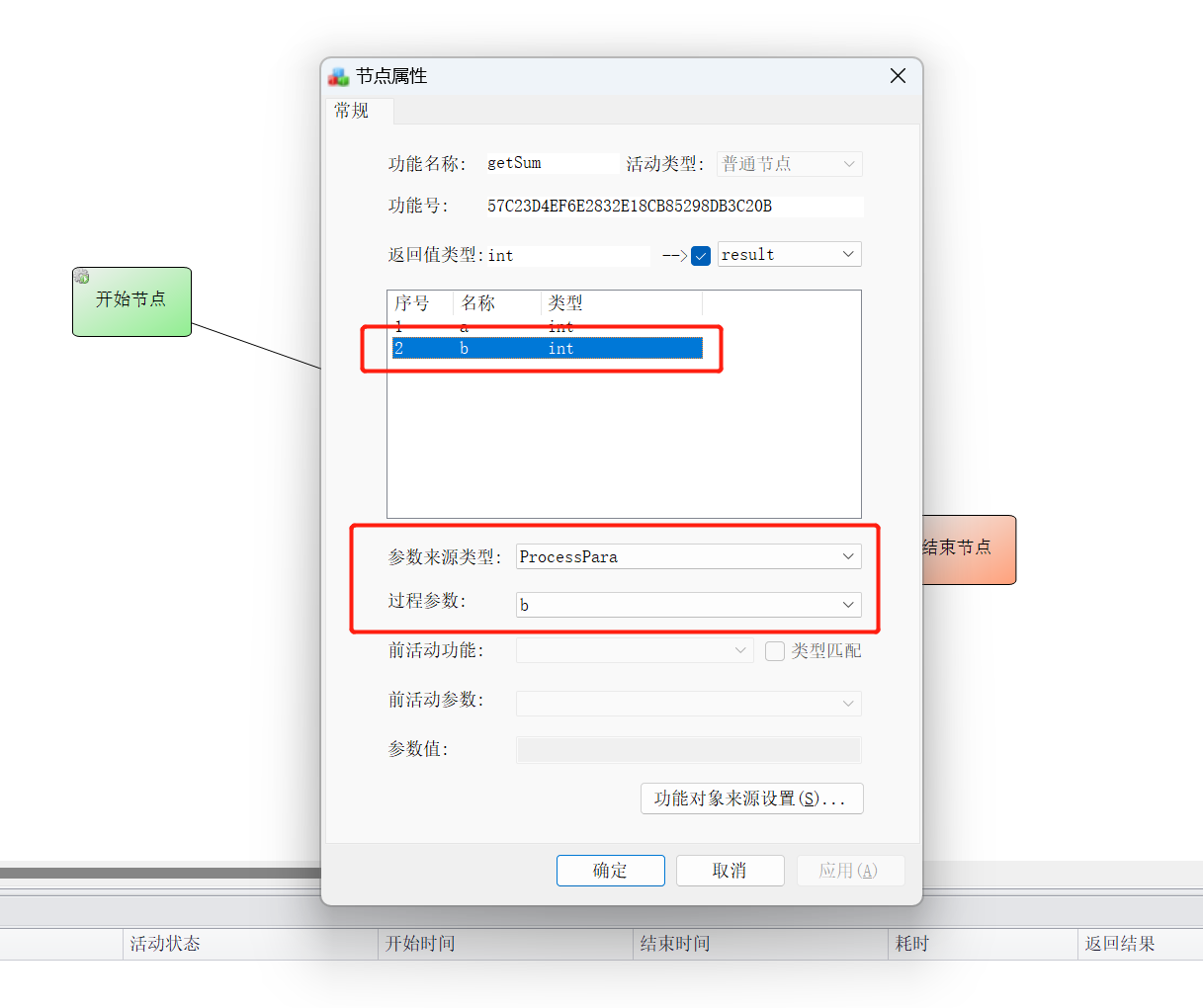
Edit Node Properties Execute test. Right-click on the process created in step 7, select Execute, fill in parameters, and click OK
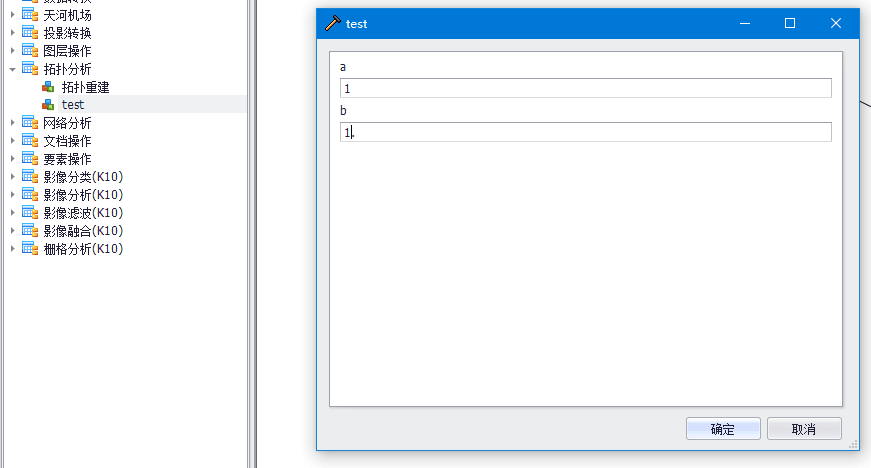
Execute Test Export workflow template. After the test result matches the expected result, right-click on the process, select Export, and import the process in IGServer Manager
Workflow Class Loader
Uses plugin-based class isolation technology similar to pf4j to solve the problem of classes polluting each other between multiple workflow libraries. The strategy used here is plugin class loader priority, similar to the relationship between framework and web applications in Tomcat containers.
Each folder under ${MapGIS_HOME}/igserver_for_java/workflow/FunctionLibrary/GIS is a separate workflow library. The system creates a separate ClassLoader for each workflow library, whose parent is the ClassLoader of the workflow-host-x.x.x.x.jar process.
igserver_for_java
  └── workflow
       └── FunctionLibrary
             └── GIS
                  ├──  Lib1                       #------------ Class loader 1
                  │      └── jar
                  │           └── xxx.jar
                  ├──  Lib2                       #------------ Class loader 2
                  └──  Libx                       #------------ Class loader x
Framework dependencies can be viewed by opening the workflow-host-x.x.x.x.jar file (Springboot FatJar) and checking its dependent jar packages. Note that if framework includes dependency A but still needs to add indirect dependency B (B is optional dependency, not included in framework), both framework dependency A and indirect dependency B must be added to the plugin. This is determined by the class loading full delegation mechanism, that is, indirect dependencies of framework dependencies can only be provided by the framework itself. Therefore, when indirect dependency B needs to be added, framework dependency A + indirect dependency B must be added together.