User group management
 Function Description
IGServer allows users to be assigned roles in batches by setting up user groups, granting different role permissions to members of each user group. The user group management page is used to manage all user groups in this IGServer service, including querying, adding, editing, and deleting user groups.
Tips:
Only users with the "Security_UserGroup Management" permission have the right to edit user groups.
 Operating Instructions
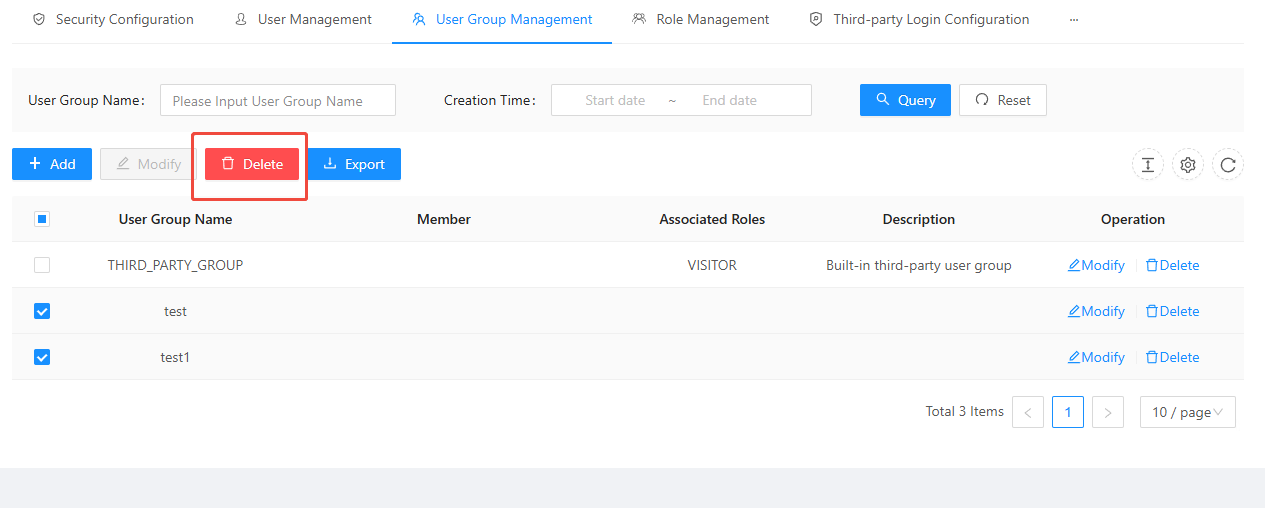
1. On the " Security " page, click " User Groups " to display all user groups in the IGServer system:
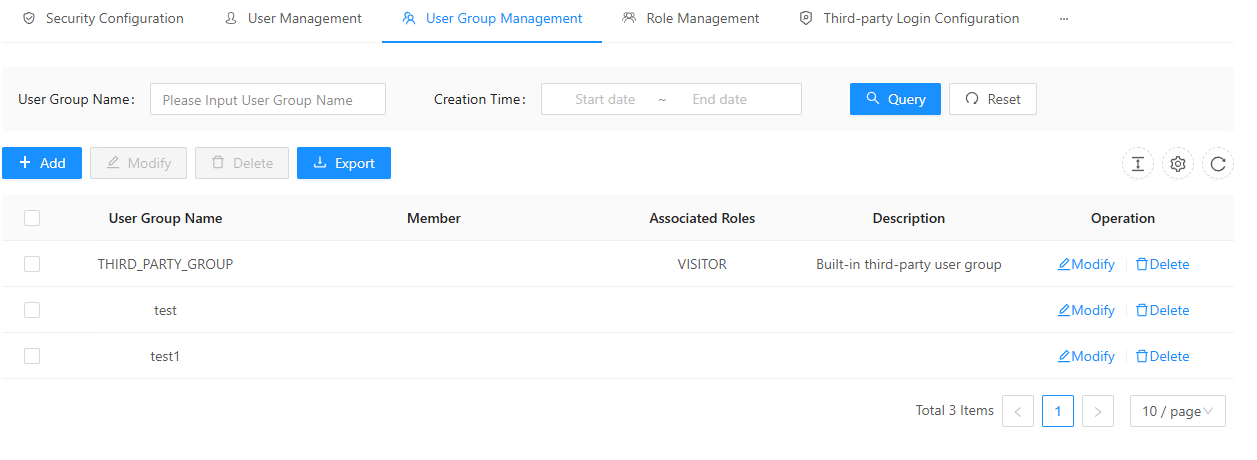
2. Click " Add " to create a new user group, and specify the associated role type and group members for the user group. All members in this user group will inherit all permissions of the associated role:
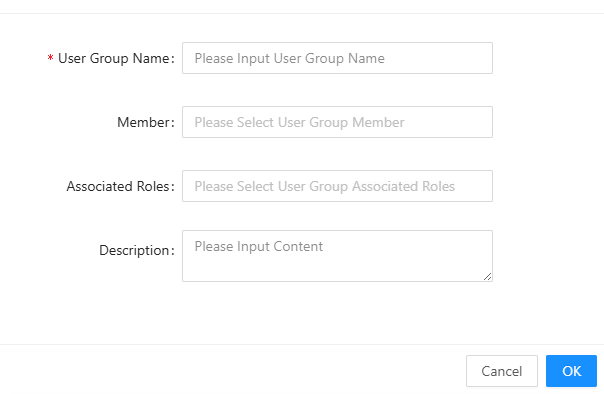
- User group name: Enter the user group name information;
- Related roles: Includes three built-in roles: Administrator, Publisher, and Visitor, as well as user-defined roles;
- Members: Select the users who will form this user group;
- Note: Add a note to this user group.
3. Clicking the " Edit " button next to a user group allows you to modify the associated roles, members, and notes for that user group. The parameter descriptions are the same as above and will not be repeated here.
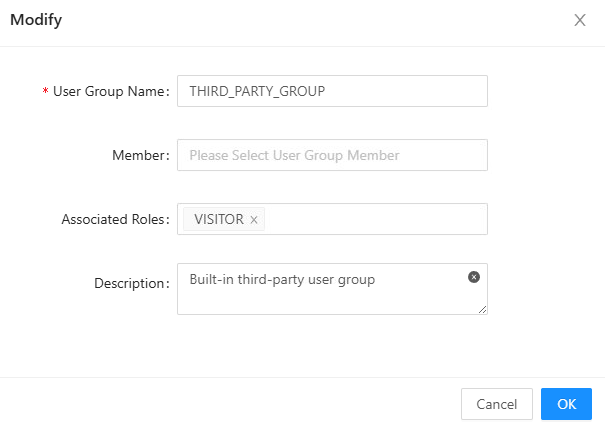
4. Click the " Delete " button next to a user group to delete that user group.
5. Enter the name of the user group you want to search for or a keyword, then click " Search " to find the user group with the specified name or keyword; click " Clear " to delete the entered text.
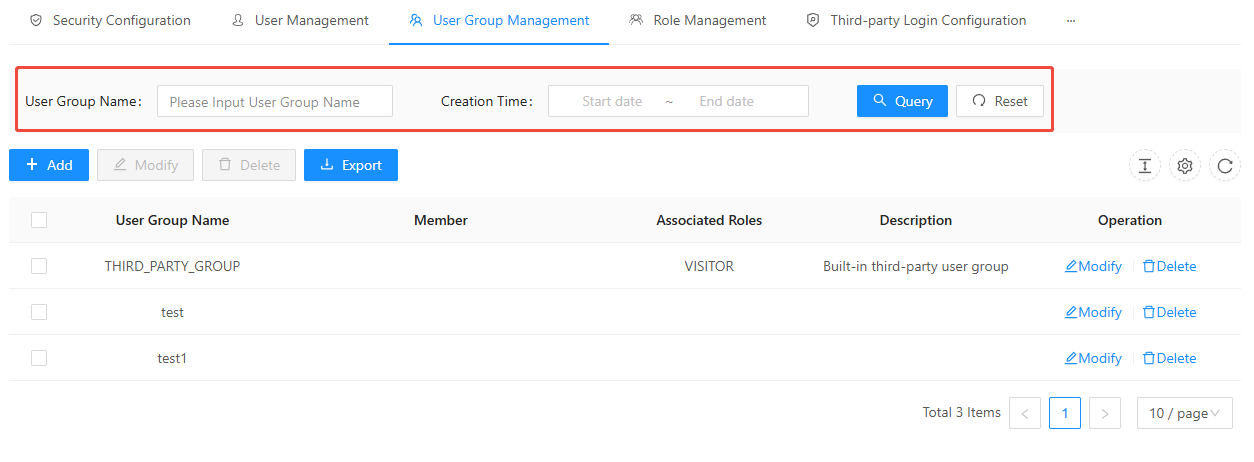
6. Select one or more user groups, and click " Delete User Group " to delete the selected user groups in batches.