
Service Preview
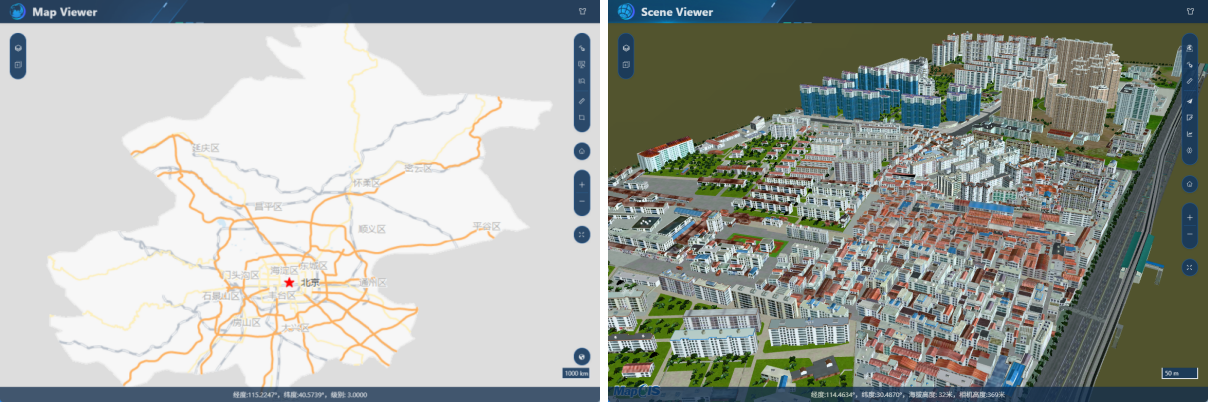
When the MapGIS 2D service is previewed, you can enter the Map Viewer page, which can support three display engines: Leaflet, MapboxGL, and Cesium. When the MapGIS 3D service is previewed, enter the SceneViewer page and use the Cesium display engine.
When the MapGIS 2D service is previewed, you can switch the display engine by using the "Switch Engine  " function in the lower right corner. The Leaflet display engine is used by default.

The functions that can be supported in the different display views of MapViewer/SceneViewer are slightly different:
Function | MapViewer | SceneViewer | ||
|---|---|---|---|---|
Leaflet | MapboxGL | Cesium | ||
| Layer Management | √ | √ | √ | √ |
| Add data | √ | √ | √ | √ |
| Pick up | √ | √ | √ | √ |
| Feature query | √ | √ | √ | √ |
| Attribute query | √ | √ | √ | √ |
| Measurement | √ | √ | √ | √ |
| Screenshot | √ | √ | √ | √ |
| Reset/Zoom In/Zoom Out | √ | √ | √ | √ |
| Roll-up | × | √ | √ | √ |
| Scene setting | × | × | × | √ |
| Rotate | × | × | × | √ |
| Placement | × | × | × | √ |
| Viewpoint | × | × | × | √ |
| Roaming | × | × | × | √ |
| Graphing | × | × | × | √ |
| 3D analysis | × | × | × | √ |
| Model analysis | × | × | × | √ |
| Terrain analysis | × | × | × | √ |
| Particle effects | × | × | × | √ |